People search for Sweezy Cursors for mobile expecting a quick install on their phone, and the honest answer is more nuanced. The extension is built for desktop Chrome, phones mostly lack a pointer to customise, and only a few Android browsers accept Chrome Web Store add-ons. Here is what actually works on phones, tablets and Chromebooks.
Why Chrome on Your Phone Cannot Run Sweezy Cursors
Sweezy Cursors is a Chrome extension listed in the Chrome Web Store under Extension > Entertainment, with roughly 700,000 users and a 4.8 rating from around 3.2K reviews. All of that activity comes from desktop Chrome on Windows, macOS, Linux and ChromeOS. The mobile apps are a different story.
Chrome for Android and iOS do not load extensions
The Chrome app you install from Google Play or the App Store has no extension system for regular users. There is no menu to add extensions, and if you open the Chrome Web Store on a phone, the "Add to Chrome" button either does nothing useful or tells you the item works only on a computer. Google has been reported to be testing extension support in development builds of Chrome for Android, and as of August 2026 coverage described that work as aimed at Android-powered PCs rather than phones and tablets. Until Google ships something official, treat Chrome on a phone or iPhone as a browser that cannot run Sweezy cursors for Chrome at all.
On iOS and iPadOS the restriction goes deeper. Every browser on Apple devices has historically been built on Apple's WebKit engine, and Safari extensions use Apple's own format and App Store distribution. A Chrome Web Store extension like Sweezy Cursors simply has no route onto an iPhone or iPad.
Touchscreens have no hover pointer to replace
Even if every phone browser supported extensions tomorrow, a custom cursor would have nothing to draw on a pure touchscreen. A cursor is the image the browser shows at the position of a mouse or trackpad pointer. When you tap with a finger, there is no persistent pointer floating over the page, so there is nothing for the extension to restyle. This is the single biggest reason "Sweezy cursors for Mobile" is usually the wrong expectation: the feature only becomes meaningful once a mouse or trackpad enters the picture.
Where a Custom Cursor Actually Shows Up on Mobile Hardware
There are three realistic situations where a portable device shows a real pointer. Only some of them can run the extension.
An Android phone or tablet with a mouse or trackpad
Android supports Bluetooth and USB mice, keyboards with built-in touchpads, and tablet keyboard covers. Connect one and a pointer appears on screen. Inside a browser that supports Chrome extensions, a cursor extension can then swap the arrow for a custom design on web pages. Without a pointing device connected, the same setup shows nothing, because your fingers do not produce a cursor.
Chromebooks, including touchscreen and detachable models
A Chromebook runs full desktop Chrome, so the Sweezy cursors extension installs and behaves exactly as it does on a Windows or Mac laptop. On touchscreen or detachable Chromebooks, the custom cursor appears whenever you use the trackpad or a mouse and disappears while you are tapping the screen. Switch back to the trackpad and it returns. For most people asking about mobile, a Chromebook is the most reliable portable option.
iPad with a Magic Keyboard or trackpad
iPadOS shows its own adaptive circular pointer when a trackpad or mouse is connected. That is not a web cursor, and since no iPad browser can install Chrome Web Store extensions, Sweezy Cursors will not change it. Some websites set their own CSS cursors, and Safari may display those, but that has nothing to do with the extension.
Android Browsers That Accept Chrome Web Store Extensions
Because Android browsers are often built on Chromium, a few of them have added their own extension support. The landscape changes quickly, so take the following as a snapshot from late 2026 and check each browser's current release notes before relying on it.
Kiwi Browser's end in January 2025
For years, Kiwi was the default answer for running desktop extensions on Android. It let you install items straight from the Chrome Web Store. In January 2025 its developer announced that the project was archived and would no longer be maintained, and the app was removed from Google Play. Old copies may still be floating around on APK sites, but an unmaintained browser stops receiving security fixes, so it is not a sensible place to browse the web today.
Microsoft Edge for Android
Kiwi's developer said its extension code was contributed to Microsoft Edge. Stable Edge for Android gained an extensions page in March 2025, but it offers a short, curated list from Microsoft's own catalog rather than the full Chrome Web Store. Edge Canary goes further: after enabling developer options, you can use an "Extension install by ID" setting, though reports describe it as taking IDs from Microsoft's Edge Add-ons store. In other words, Edge for Android is not a straightforward way to add Sweezy Cursors from the Chrome Web Store, and results may vary by version.
Lemur, Quetta and Yandex Browser
Several smaller Chromium-based Android browsers advertise Chrome extension support. Quetta is often recommended as a Kiwi replacement and reviewers report installing common desktop extensions in it. Lemur Browser markets itself around Chrome extension support too. Yandex Browser's own help pages state that its Android app can install extensions from the Google Chrome and Opera catalogs, with the caveat that compatibility is not guaranteed. None of these browsers are tested or endorsed by the Sweezy Cursors developer, so treat any success as a bonus rather than a supported setup.
| Device or browser | Can install Sweezy Cursors? | Where the cursor appears |
|---|---|---|
| Chrome on Android or iPhone | No, extensions are not supported | Nowhere |
| Safari or any browser on iPad | No, Chrome Web Store items cannot run | Only iPadOS's own pointer |
| Microsoft Edge for Android | Unlikely; curated list in stable, Edge Add-ons IDs in Canary | Only with a mouse, if it loads |
| Quetta, Lemur, Yandex on Android | Possibly, not officially supported | Only with a mouse or trackpad connected |
| Kiwi Browser | Discontinued in January 2025 | Not recommended |
| Chromebook (ChromeOS) | Yes, full desktop Chrome | Trackpad and mouse, on regular web pages |
Trying Sweezy Cursors on an Android Tablet
If you own an Android tablet with a keyboard case or a Bluetooth mouse and want to experiment, you can, as long as you keep expectations realistic.
Before you install
- Pick a maintained browser that states it supports Chrome Web Store extensions, and install it from Google Play rather than an APK mirror.
- Pair your mouse or trackpad first, so you can confirm a pointer appears on screen.
- Open the official Sweezy Cursors listing on the Chrome Web Store in that browser. The full name is "Sweezy Cursors ★ Custom Cursor for Chrome™", currently version 4.0.5 at 617 KiB. Copycat listings with similar names are worth avoiding, and our download safety guide explains how to spot them.
The add-to-browser step works the same way it does on a desktop. If you want the full desktop walkthrough for comparison, see the Sweezy Cursors install guide.
What to expect once it is running
Mobile Chromium forks sometimes hide extension popups behind a menu or open them in a separate tab, so the controls may look cramped. The cursor catalog lives on sweezy-cursors.com, and you add designs from that site to the extension, which is easier on a tablet than a phone because of the screen size. Animated designs with shimmer, motion or spin effects may feel heavier on a budget tablet than on a laptop. If nothing changes, reload the page, confirm the mouse is connected, and remember that the same limits apply as on desktop: no custom cursor on Chrome Web Store pages, browser internal pages, or over the browser's own toolbar and tabs.
Chromebooks: The Most Practical Portable Option
If your real goal is a fun custom cursor on a lightweight, portable device, a Chromebook removes almost every caveat in this article.
Installing on ChromeOS
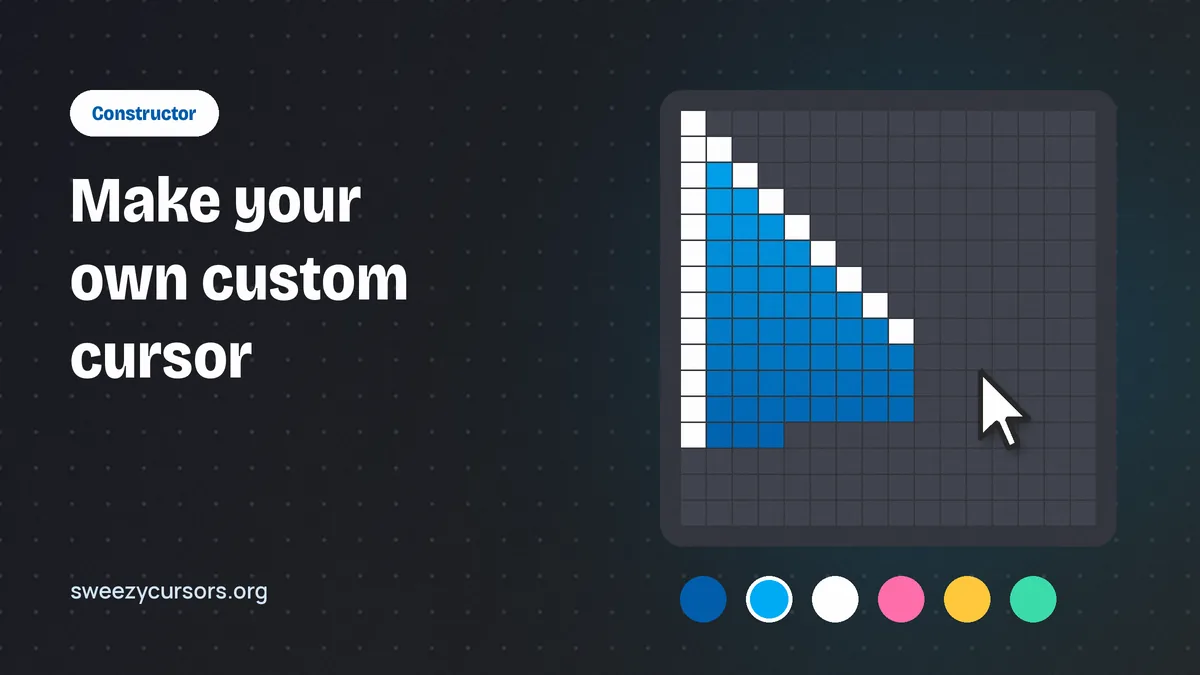
Open the Chrome Web Store in the Chrome browser on your Chromebook, add the extension, and pin its icon to the toolbar so you can reach it quickly. From there, browse the catalog on the developer's site and apply a design. Everything described in how to use Sweezy Cursors applies unchanged, including uploading your own small transparent PNG image and building a custom arrow with the Constructor feature. School or work Chromebooks may block extension installs through admin policy, so a managed device may refuse the install no matter what you do.
Touch versus trackpad on a 2-in-1
On a convertible Chromebook in tablet mode, you are mostly tapping, so you will rarely see the cursor. Fold it back into laptop mode or plug in a mouse and the custom design reappears on ordinary web pages. The new tab page, Settings, Downloads and other chrome:// pages keep the default arrow, as they do on every platform, because Google does not let extensions change those pages. If something still looks wrong, the troubleshooting section covers the common causes.
The Bottom Line on Mobile Support
Sweezy Cursors for mobile is mostly a question of hardware. Chrome on Android and iPhone cannot run it, iPads cannot run it in any browser, and a touchscreen has no pointer to customise anyway. Some Android browsers that support Chrome extensions may load it on a tablet with a mouse, but none are officially supported, and Kiwi is gone. For a dependable portable setup, use a Chromebook, or simply enjoy your favourite designs on desktop Chrome, where every animated and cute cursor in the catalog works as intended.