
Sweezy Cursors free is not a trial or a teaser. The developer states that all designs in the catalog are free, and the extension itself costs nothing to add to Chrome. This guide covers what that includes, where a safe Sweezy cursors download comes from, and how to get far more out of the collection than picking one arrow and forgetting it.
What "Free" Means for Sweezy Cursors
Plenty of browser add-ons call themselves free and then lock half their features behind a subscription. It is worth being precise about what is known here, based on the extension's Chrome Web Store listing and the developer's own description.
The extension costs nothing to install
The listing, titled "Sweezy Cursors ★ Custom Cursor for Chrome™", sits in the Extension > Entertainment category with no price attached. You add it to Chrome the same way as any free extension. It has roughly 700,000 users, a 4.8 out of 5 rating from about 3.2K ratings, and a Featured badge, which Google gives to extensions that follow its technical best practices and offer a good user experience.
Every design in the catalog is free
The developer describes all of its cursor designs as free. That includes the static cute cursors, the themed collections and the animated ones. We have not seen any official mention of a paid tier, so this site does not describe one. If that ever changes, the developer's own site and the store listing would be the place to confirm it, not a third-party download page.
What free does not include
Free does not mean unlimited reach. Because of Google's rules, the extension cannot change your cursor on Chrome Web Store pages or on Chrome's internal pages such as the new tab page, Settings and Downloads. It also cannot restyle the pointer over the browser's own interface, meaning tabs, the address bar and the toolbar. On almost every other web page it works normally. These are platform limits, not a missing premium feature, and no paid version of any cursor extension could get around them.
What You Get Without Paying
The catalog lives on the developer's website, sweezy-cursors.com, and you add designs from there into the extension. It is updated almost daily, so the selection keeps growing. Here is what the free collection covers.
Themed collections and cute static cursors
Designs are grouped into collections such as Comics & Games, Cartoons & Anime, and Memes & Cats, along with a large set of cute static designs. Static cursors are the safest everyday choice: they are easy to read on any background and do not distract you while you work.
Animated cursors
Animated designs add effects like shimmer, movement and spin. They are a big part of why people install the extension in the first place, and they are included at no cost. Our guide to Sweezy animated cursors covers how they behave and when to switch back to a static design.
Your own uploads and the Constructor
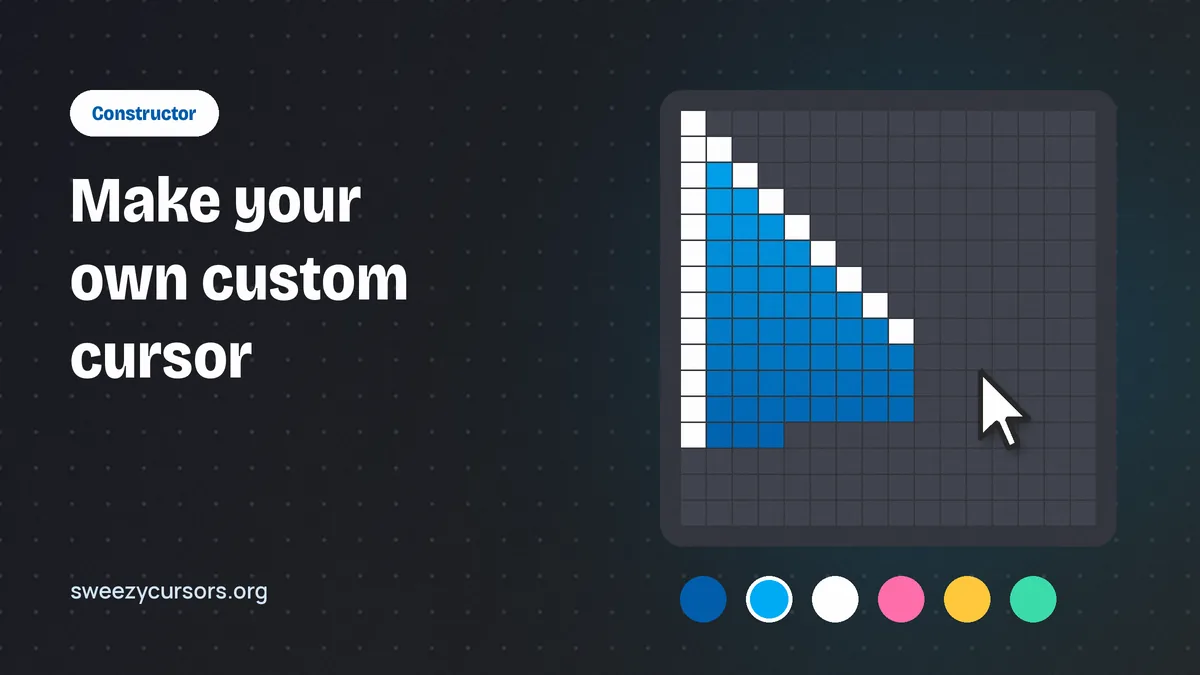
Beyond the catalog, you can upload your own image to use as a custom cursor, and the Constructor feature lets you build a personal arrow style. Both are part of the same free package. The custom cursor Constructor guide walks through it in detail.
| What you get | Where it comes from | Cost |
|---|---|---|
| The extension (version 4.0.5, 617 KiB) | Chrome Web Store | Free |
| Static and cute cursor designs | Catalog on sweezy-cursors.com | Free |
| Animated cursors (shimmer, move, spin) | Catalog on sweezy-cursors.com | Free |
| Themed collections | Catalog, updated almost daily | Free |
| Uploading your own cursor image | Inside the extension | Free |
| Constructor for a custom arrow style | Inside the extension | Free |
| Interface in 54 languages | Built in | Free |
Sweezy Cursors Download: Getting It From the Right Place
Because the extension is free, there is never a reason to pay anyone for it or to download it from a random file host. That is exactly where people run into trouble.
Use the official Chrome Web Store listing
The only download you need is the Sweezy Cursors page on the Chrome Web Store. Click the add button, confirm the permissions prompt, and Chrome installs it and keeps it updated automatically. The current version at the time of writing is 4.0.5, last updated February 22, 2026. If you want the full step-by-step with screenshots described in words, the Sweezy Cursors install guide covers it, and it works on Chrome for Windows, macOS, Linux and ChromeOS.
Avoid "free download" mirrors and copycats
Search results sometimes surface sites offering a Sweezy cursors download as a ZIP or CRX file, or a "pro" version. There is no paid edition to get around, and a manually loaded extension does not update itself, which means you can miss security fixes. Worse, a repackaged file can contain code the original never had. Similar-sounding store listings exist too, so check the exact name and the developer's website, sweezy-cursors.com, before installing. Our download safety guide lists the warning signs.
How to Make the Most of the Free Catalog
Most people install the extension, pick one design, and never open the popup again. A few habits make the free collection far more enjoyable.
Build a small rotation for different moods
Add a handful of designs from different collections: one clean static cursor for work, a playful cartoon or meme design for casual browsing, and an animated one for when you feel like showing off. Switching between saved cursors from the extension takes seconds, so you are never stuck with a single look. Because the catalog is refreshed almost daily, it is worth browsing the site every week or two for new arrivals in collections you like.
Matching a cursor to the task also helps. A bright animated design is fun on a video site or while scrolling social feeds, but it can get in the way when you are selecting text in a long document or working in a busy web app with small buttons. A neat static design with a clear tip is easier to aim. If you share your screen in meetings or record tutorials, a distinctive custom cursor can actually help viewers follow your pointer, so keep one high-visibility design ready for those moments and swap back afterwards.
Prepare uploaded images properly
Uploading your own picture is the best way to get a custom cursor nobody else has, but the image matters. As general advice for cursor extensions of this kind, a small PNG with a transparent background works best, typically around 128×128 pixels or smaller. Large photos tend to look blurry or oversized once shrunk, and solid backgrounds create an ugly square around the pointer. Crop tightly, keep the "tip" of your design near the top-left corner where a normal arrow points, and test it on a light page and a dark page before settling on it.
Use the Constructor for a clean, readable arrow
If animated mascots are too much for daily use, the Constructor lets you design an arrow that suits you, for example a higher-contrast colour that is easier to find on a large monitor. This is genuinely useful for people who lose track of the default pointer, and it costs nothing. Exact options can change between versions, so explore the Constructor panel inside the extension and preview your result before applying it.
A sensible approach is to treat the Constructor as your everyday default and keep catalog designs for fun. You end up with a pointer that is comfortable for hours of reading or editing, plus a whole library of themed and animated cursors one click away whenever you want a change. Since the interface is available in 54 languages, the same setup is easy to repeat on a family member's computer too.
Free Does Not Mean Careless: Privacy and Performance
A free extension still runs on every page you visit, so it is fair to ask what it does in the background.
What the developer declares
On its Chrome Web Store listing, the developer declares that it does not collect or use user data and does not sell data to third parties. That declaration is shown in the privacy section of the listing, where you can read it yourself before installing. For more context on extension permissions and how to review them, see the safety section of our homepage.
It is also good practice to review your installed extensions every few months. Open Chrome's extensions page, remove anything you no longer use, and make sure the Sweezy Cursors entry is the one published by the developer behind sweezy-cursors.com. Chrome updates store-installed extensions automatically, so you do not need to reinstall it to stay current.
At 617 KiB the extension itself is light. Heavy animated cursors can feel slightly busier on older laptops, so if pages ever feel sluggish, switch to a static design and see whether it helps. If the cursor stops appearing entirely, check that the extension is still enabled on Chrome's extensions page and reload the tab. If it still fails, remember that Chrome Web Store pages and internal pages like Settings always show the default arrow, so test on an ordinary website.
Conclusion
Sweezy Cursors free means what it says: the extension and, according to the developer, every design in its catalog cost nothing. You get static and animated cursors, themed collections that grow almost daily, image uploads and the Constructor, all from a single official Chrome Web Store listing. Download it only from that listing, reload your open tabs after installing, and build a small rotation of favourites. That way a custom cursor stays fun instead of becoming one more setting you forget about.